
Description
Create design templates for rhinestones
- For selected BERNINA embroidery machines
- Combine embroidery with rhinestones
- Create patterns with the BERNINA DesignWork Suite
Sparkling patterns, all your own – Embellish anything you’d like and personalize your style. When combined with embroidery or even PaintWork or CutWork, the result is brilliant no matter what.
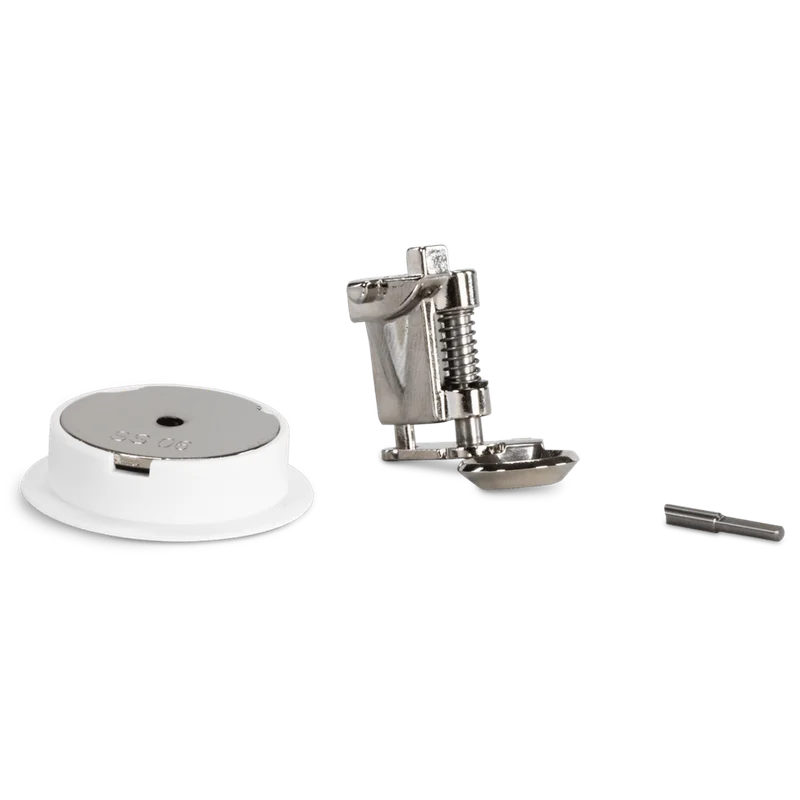
Varying stone sizes – The CrystalWork tool has three different punching pins that create holes with varying diameters – according to the size of the stone. This allows you to change between small, medium, or large sized stones in a single motif.
Create your own motifs using the software – The CrystalWork software offers numerous tools that make the individual editing or even the creation of your own motifs on the PC possible. Operating the software is simple and clear. A sequence manager indicates the order of the stencil holes to be punched. In just a few steps, your idea can turn into a beautifully sparkling motif.
The BERNINA DesignWorks Software Suite and the companion accessory tools are compatible with the following BERNINA embroidery machine models:
- 5 Series: B 500, B 535, B 540, B 555, B 560, B 570 QE (2017 and later), B 570 QE (before 2017), B 580, B 590
- 7 Series: B 700, B 720, B 770, B 750 QE, B 780, B 790, B 790 PLUS
- 8 Series: B 830, B 880 and B 880 PLUS
The following BERNINA embroidery machines are compatible with the CutWork accessory and software only:
- artista: 630/640/730
- aurora: 430/435/440/450
- bernette: bernette 340 Deco, bernette Deco 340 Plus, bernette Chicago 7 and bernette 70, 79
Part Number: 034273.70.00
Reviews
There are no reviews yet.